A rugged tablet vs industrial panel PC decision starts with where work happens. An operator who stays beside a machine has different needs from a maintenance engineer walking between production lines. Both may use the same MES or maintenance application, yet the right device and installation can be very different.
For a factory project, map the handover between mobile and fixed work before comparing specifications. A tablet may capture an inspection result while a panel PC presents the work order at the workstation. The deployment succeeds when both devices preserve the same job context and transaction history.
Match each device to a defined role
| Workflow | Device to evaluate | Critical question |
|---|---|---|
| Machine-side HMI and repeatable MES entry | Fixed industrial panel PC | Can the operator see and reach the interface safely? |
| Inspection rounds across several assets | Windows rugged tablet | Can records be captured and synchronized throughout the route? |
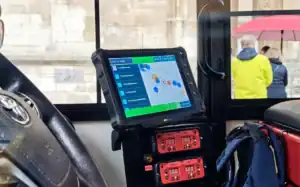
| Warehouse tasks performed from a forklift | Vehicle-mounted computer | Do power, mounting and connectivity match the vehicle? |
| Mixed inspection and station work | Complementary mobile and fixed devices | Does the application support a reliable handover? |
Check the Windows application as a complete system
Use the same test account, permissions and production software in every evaluation. Include peripheral drivers, identity tools, security software and any browser or runtime dependencies. Ask the application supplier to identify supported processor architectures and Windows editions.
Do not assume that two Windows devices support identical drivers or management functions. Test printing, scanning, screen scaling and reconnect behavior. A responsive demonstration screen is only one part of an operational workflow.
Specify power around the way the device is used
For a mobile tablet, plan charging points, battery replacement and spare-device availability around the shift. Test the actual application and radio usage through a representative route. If battery replacement is required, confirm how the exact configuration handles the transition.
For a fixed panel PC, document the power source, grounding, cable retention and restart behavior after supply loss. Choose an accessible service location. Vehicle power requires its own assessment with the vehicle integrator, including the intended shutdown sequence.
Evaluate interaction in the installed position
A handheld test cannot validate a fixed operator station. Install a sample at the proposed height and angle, then run a full task sequence with the intended gloves and working posture. Check visibility, touch response, reach, cleaning access and accidental inputs.
Protection claims also need installation context. Ask which surfaces and test conditions are covered, whether covers must be closed, and what changes when cables are connected. Keep the evidence tied to the configuration being purchased.
Design the data handover before rollout
- Define whether a work order is assigned to a person, a workstation or both.
- Decide how unfinished records are retained during a network outage.
- Test duplicate submissions and interrupted synchronization.
- Verify that signing out or replacing a device does not lose the transaction trail.
- Document who restores a failed terminal and how the operator resumes work.
Use a pilot route that includes a normal station, a difficult wireless area and a shift change. Measure task completion and recovery against targets agreed with operations. These results are more useful for procurement than an isolated processor comparison.
Build a shortlist from the station requirements
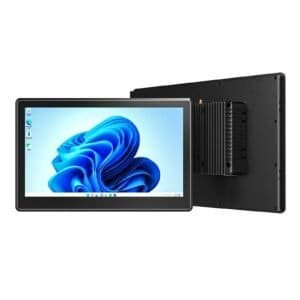
For fixed Windows interfaces, compare the EM-P10J and EM-P10A against your application and installation needs. Review vehicle PC options for forklift-based roles. Final interfaces and configuration should be confirmed for each project.
Send Emdoor IPC a workstation map, peripheral list and software requirements to discuss the fixed and vehicle computing elements of your deployment.
Related mobile-device guidance
For the mobile side of the decision, see Emdoor Rugged’s Windows rugged tablet buying guide. This comparison focuses on factory architecture and the division of work between mobile terminals and installed industrial PCs.