AUTOMOTIVE SERVICE · EMDOOR IPC CASE STUDY
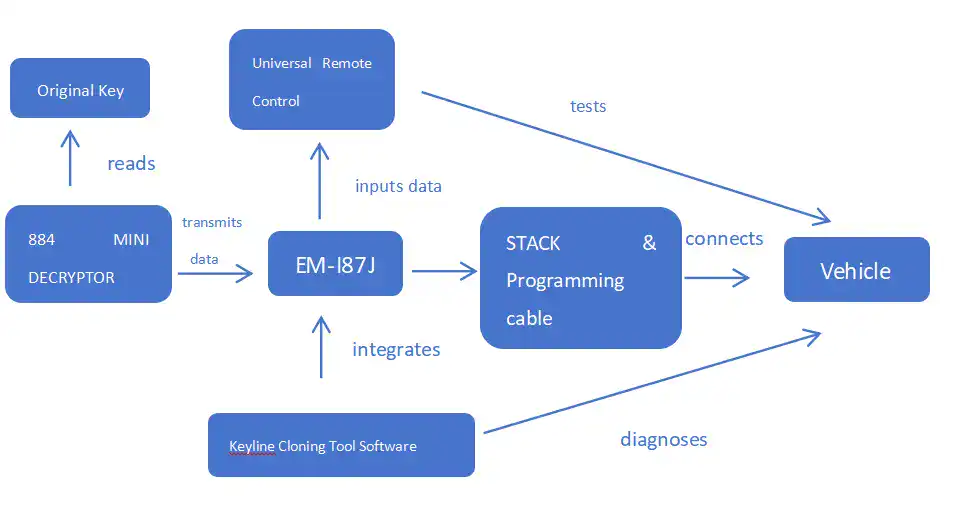
An automotive service terminal brings the technician’s software and specialist tools into one working environment. The screen is the visible part of a system that must recognize peripherals, preserve job context and remain usable as the technician moves between work areas.
A terminal for specialist service
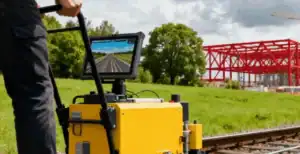
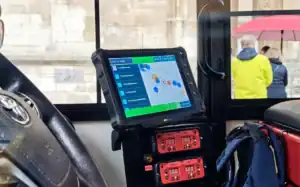
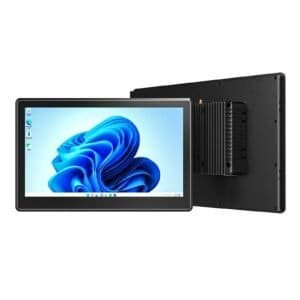
Emdoor’s published case reports that Keyline selected the EM-I87J rugged tablet for its automotive programming kit. Stated requirements included compatibility with Keyline software, specialist tool connections and operation in workshop and outdoor service environments.
The source positions the device as an on-site software and communication terminal. This distinction matters: the capabilities of the complete service system also depend on the customer application, connected tools and authorized procedures.
Build a compatibility matrix
List approved application versions, peripheral models, connection methods and drivers. Define which tools must be available together and test that combination. Include installed security and management software in the evaluation.
Keep configuration changes controlled. An operating-system or driver update can affect peripheral recognition even when the connector has not changed. Validate proposed updates with the application owner before extending them to the service fleet.
Make job status understandable
The application should keep the selected job and equipment context clear. Specify how it identifies an unavailable tool, a lost connection or a process needing authorized review. Follow the equipment and software providers’ approved service procedures.
For terminal qualification, focus on application continuity, peripheral recognition and recovery behavior. Do not infer support for every vehicle or specialist operation from the computing hardware model alone.
Evaluate the workshop installation
Run the interface in the actual work position and lighting conditions. Assess carrying, placement, repeated connector use and access to charging. Include the cables and accessories intended for daily service.
Plan how a technician requests support and how a replacement terminal is restored. The organization needs a reproducible application, driver and configuration package so replacement equipment can resume the correct role.
Assign integration responsibilities
- The application owner defines workflows and software compatibility.
- The peripheral supplier identifies approved connections and tool requirements.
- The terminal configuration records hardware, operating system and drivers.
- The service team owns training, job handling and escalation.
Developing a specialist industrial terminal?
Bring your software and peripheral compatibility requirements to an integration discussion.
Case background: the original Emdoor application story. This edition adds an Emdoor IPC integration perspective. Reported application details describe that project; new deployments require configuration and software validation.