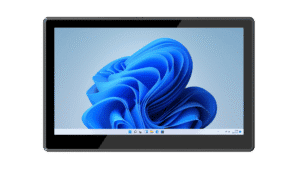
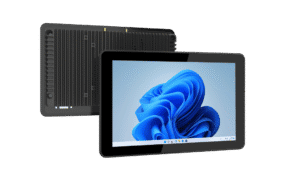
Operator HMI stations
Present machine status, instructions and authorized controls through your HMI software. Select screen size, touch behavior and panel mounting around the operator’s working position and installation space.


Connect operators, production information and equipment interfaces with industrial panel PCs and embedded computers. Build a practical hardware foundation for HMI, MES workstations and factory data collection.
Match the computer to the task, from an operator station to a separate-display edge installation. Plan how people, machines and production software will interact.
Present machine status, instructions and authorized controls through your HMI software. Select screen size, touch behavior and panel mounting around the operator’s working position and installation space.
Give operators access to work orders, process instructions and production reporting. Validate application performance, authentication and the connection to your MES or ERP environment with your software team.
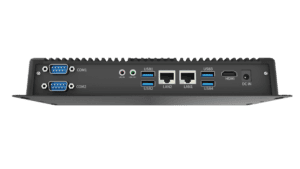
Use an embedded box PC where the display is separate or computing must be installed in a cabinet. Confirm PLC interfaces, network topology, data collection software and thermal conditions at the installation point.
A useful specification connects the application to the real installation. Review these points before committing to a configuration.
| Display & operation | Screen size, resolution, gloves, touch behavior and viewing distance. |
|---|---|
| Compute & operating system | Application load, storage, supported Windows / Android / Linux configuration and software compatibility. |
| Industrial connections | Required Ethernet, USB, serial ports and controller protocols; software drivers must be validated. |
| Installation & maintenance | Panel cutout or VESA mounting, enclosure airflow, cable access and service procedures. |
Separate the hardware specification from the control architecture. Validate interfaces, drivers and application behavior together before rolling out to multiple lines.
Compare 15.6-inch and 10.1-inch Windows panel PCs with an Intel Core embedded platform. Confirm processor, ports and mounting against the individual product specification.
Published product information below is maintained in our product catalog. Confirm the selected model, options and current availability with our team.