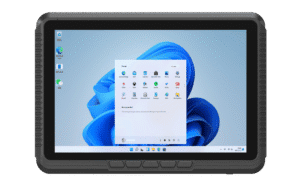
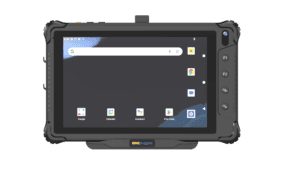
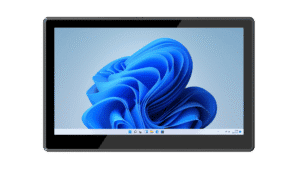
Receiving & put-away
Display inbound tasks and storage locations at the dock or in the forklift cab. Connect compatible barcode scanners as peripherals and confirm the data entry method with your warehouse application.


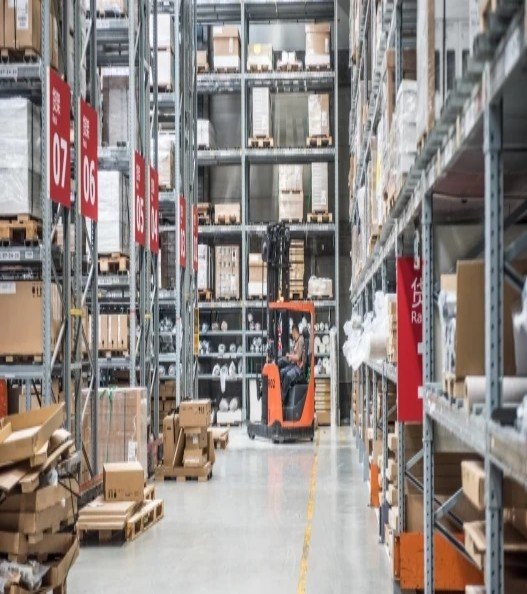
Connect warehouse operators with picking tasks, inventory information and dispatch workflows. Emdoor vehicle computers and panel PCs offer hardware choices for forklift cabs, workstations and loading areas.
Put information where it is needed, with an installation suited to each warehouse task. Your WMS remains responsible for inventory logic and transaction control.
Display inbound tasks and storage locations at the dock or in the forklift cab. Connect compatible barcode scanners as peripherals and confirm the data entry method with your warehouse application.
Keep task lists and location details accessible while operators work through the facility. Check screen visibility, safe mounting position and wireless performance across racks, aisles and transition areas.
Use a fixed panel PC to access orders, packing checks and dispatch information. Test label printers, scanners and other connected devices with the exact operating system and WMS client.
A useful specification connects the application to the real installation. Review these points before committing to a configuration.
| Forklift installation | Visibility, cab clearance, vibration exposure and secure mounting without obstructing operation. |
|---|---|
| Power design | Vehicle supply range, adapter, ignition behavior and shutdown strategy for the selected model. |
| Scanning & printing | External scanner interface, printer drivers and WMS compatibility; scanning is not built into every terminal. |
| Warehouse network | Site Wi-Fi survey, roaming behavior and application recovery when connectivity is interrupted. |
Test the complete transaction path on site. Hardware, scanning peripherals, wireless coverage and WMS behavior all influence the operator experience.
Start with Windows and Android vehicle terminals for mobile workflows, plus a panel PC for fixed warehouse stations. Choose by application compatibility and installation needs.
Published product information below is maintained in our product catalog. Confirm the selected model, options and current availability with our team.