FIELD ENGINEERING · EMDOOR IPC CASE STUDY
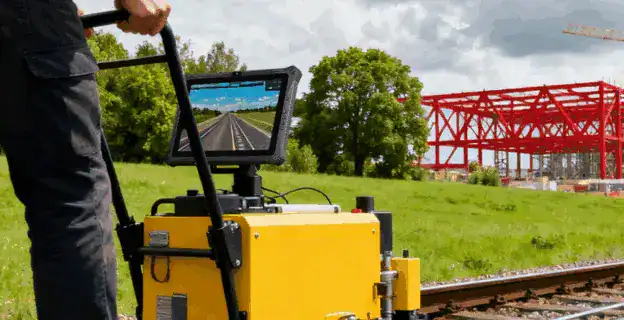
A railway surveying terminal sits between the measurement instrument and the team that acts on the result. Its role is to make an observation usable: associate it with the correct asset, present it for verification and preserve the record as it moves to the project center.
The challenge extended to the data flow
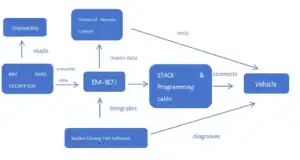
Emdoor’s published railway case describes a rail infrastructure provider moving away from manual recording and fragmented field data. The reported solution places the EM-I20A Windows terminal between inspection equipment, field technicians and the project center.
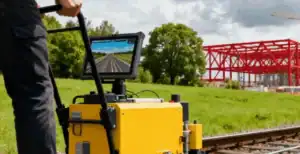
The case describes wireless acquisition from inspection equipment, local surveying software, data synchronization and deviation alerts. The tablet is the field computing and communication endpoint within that wider system.
Give observations enough context
For a new deployment, define the record that accompanies each measurement. Relevant fields may include the asset identifier, work package, time, operator and instrument reference. Decide which values are entered by a person and which come from equipment or software.
Check how the application handles missing or inconsistent identifiers before synchronization. An exception at the point of capture is easier to resolve than an ambiguous record discovered after the team has left the site.
Separate acquisition, checking and judgment
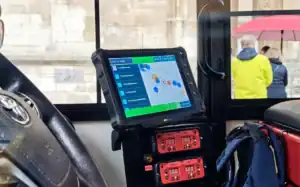
The terminal presents incoming data and the surveying application’s calculated results, but the project must define how those results are reviewed. Make acceptance criteria, alert conditions and the responsible reviewer explicit in the working procedure.
Validate the measurement chain with the instrument and software suppliers. A readable screen, reliable connection or rugged enclosure does not independently establish measurement accuracy. Include representative data and known reference conditions in the agreed test plan.
Make synchronization visible
Define the record states: captured, checked, waiting for transfer, received or returned for clarification. Operators should be able to distinguish a locally saved observation from one received by the project center.
Test connection loss during transfer, repeated submissions and a restart with unfinished work. Document how the approved application preserves records and resumes synchronization. Keep correction history traceable to the original observation.
Qualify the field kit
- Test the terminal with the intended inspection equipment and communication settings.
- Review display use, carrying arrangement and accessories on a representative route.
- Plan power and charging around the working day.
- Record software, drivers and connection settings for restoring a replacement.
Connecting field work to an industrial system?
Describe your measurement equipment, Windows software and record-transfer workflow.
Case background: the original Emdoor application story. This edition adds an Emdoor IPC integration perspective. Reported application details describe that project; new deployments require configuration and software validation.