An Intel N5100 industrial PC belongs on a shortlist when a project needs a compact Windows terminal for an operator interface, production reporting or equipment data access. The useful starting point is the job performed at each station: what the operator sees, which peripherals connect, and what must happen when power or networking is interrupted.
Emdoor’s N5100 platform announcement covers mobile, fixed and vehicle terminals. For an industrial integration project, that breadth creates a planning opportunity: use a related processor platform where appropriate while specifying the installation, operating system and interfaces separately for every device.
Start with the station architecture
| Installation | Typical job | Selection priority |
|---|---|---|
| Industrial panel PC | HMI screens, MES input and work instructions | Screen orientation, mounting cutout and accessible connections |
| Embedded computer with separate display | Equipment data collection or a protected computing node | Cabinet space, thermal path and service access |
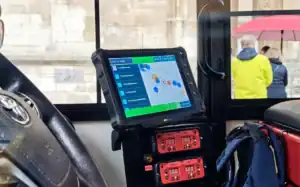
| Vehicle terminal | Warehouse task display and forklift workflows | Vehicle power, bracket security and wireless continuity |
A shared CPU does not make these devices mechanically interchangeable. A panel fitted to a machine, a computer inside a cabinet and a terminal on a forklift have different power, mounting and environmental requirements.
Use EM-P10J as a concrete panel PC starting point
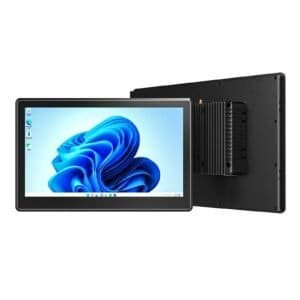
The EM-P10J industrial panel PC brings the N5100 platform to a 10.1-inch fixed operator interface. Check its current configuration against your screen layout, Windows application and installation drawing before selecting it for a production station.
Prepare a peripheral list with the required connector, communication mode, driver and cable length. A requirement such as “serial communication” is incomplete until the electrical standard, device protocol and software driver are identified. Apply the same discipline to scanners, printers, network adapters and external displays.
Size the computer with the real MES workload
Test the production application together with the services that will run in the background. Include authentication, endpoint protection, logging, database access and the expected browser tabs. Record screen response during normal work and during a shift change when many terminals reconnect.
For a procurement test, define an acceptable page-loading time, a maximum recovery time after a restart, and how much transaction data may wait locally during a connection outage. Set those targets from production needs. CPU branding alone cannot establish whether a terminal meets them.
Make mounting and power part of acceptance
- Check the installation drawing, rear clearance and cable bend radius with the actual enclosure.
- Measure temperature at the proposed mounting point while nearby equipment is running.
- Confirm the input power requirements and test the intended supply, grounding and restart behavior.
- Document whether an enclosure protection rating applies to the front face or to the complete installed system.
- For a vehicle installation, evaluate the complete power connection and bracket with the vehicle integrator.
A fanless layout still needs a suitable heat-transfer path. Test the fully assembled installation with its production cables and workload; an open-bench demonstration leaves important installation conditions untested.
Standardize the deployment record
Keep a versioned record of the approved hardware configuration, OS image, firmware, drivers, mounting parts and peripheral settings. Maintain a restore procedure and a spare-device process so a replacement terminal can return to the correct station role.
Compare the industrial PC portfolio and vehicle computing options, then send Emdoor IPC your application and installation requirements for configuration review.
Platform background
Related platform announcement: Emdoor Intel N5100 rugged terminal series. This guide develops the fixed-installation and systems-integration considerations for industrial PC projects. Model availability and final specifications require confirmation for the ordered configuration.