A fleet’s dashboard can tell the workshop which truck needs attention. At the bay, the technician needs the right diagnostic interface, software and service history. Set up the two environments around those tasks and decide what records they must exchange.

Specify the bay around the diagnostic toolchain
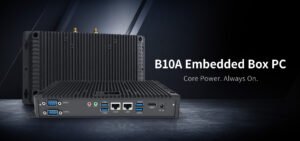
List the diagnostic application and version, the vehicle communication interface and any licensing or connectivity requirements. If a workflow uses serial, Ethernet or USB, check the exact supported hardware and drivers. For a fixed workstation, verify screen placement, cable storage, power and access to the service network. A fleet terminal’s port list cannot establish compatibility with the diagnostic tool.
Keep road-test capture simple
Decide whether the vehicle unit will log a route, display a test plan or receive data from a supported interface. Test the installed mount, ignition behavior and loss of cellular service. Follow the workshop’s safe road-test procedures and define who interacts with equipment. Confirm that the job record links back to the vehicle, technician and time window.
Compare the vehicle hardware separately
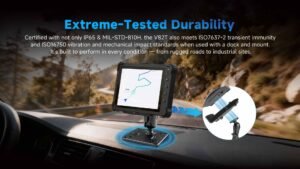
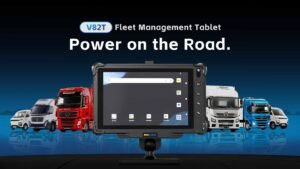
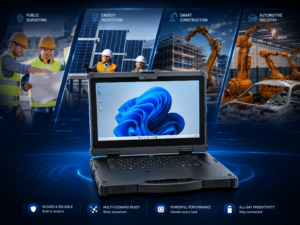
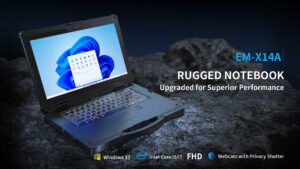
The EM-V82T is an Android vehicle tablet with GNSS and a vehicle dock. It can be evaluated for fleet workflows alongside the Emdoor IPC vehicle computer range. For Windows-based diagnostic tools, check the software vendor’s hardware and driver requirements before selecting a workstation or portable computer. The Emdoor IPC transportation solution provides a starting point for the fleet side of the design.
Frequently asked questions
Can a fleet computer replace a diagnostic scan tool?
Verify the required interface and software. A fleet device serves a different role unless the diagnostic workflow is supported.
Is a Windows machine always required in the bay?
It depends on the diagnostic suite. Confirm its supported platform and drivers.
What should an offline road test verify?
Confirm local capture, timestamps, record association and upload after reconnecting.
Can a vehicle tablet read VIN or ECU data through its dock?
Verify the proposed interface, supported protocols and software before relying on that workflow.
Which information should procurement collect?
Record vehicle makes, software versions, VCI models, installation details and report requirements.
Send Emdoor IPC your vehicle and workshop workflows to discuss compatible hardware.
Contact Emdoor IPC