Inventory records only become useful when they reflect what happened on the floor. A pallet can be sitting in the correct location while the system still shows it at the receiving dock. At Emdoor IPC, we start by locating those gaps between a physical move and its digital confirmation, then review which devices make it practical to capture the event.
Decide which events the warehouse must record
Map receiving, putaway, picking, packing and shipping as distinct events. In a typical putaway task, the operator confirms both the handling unit and its destination, so the warehouse management system can update the location. Define what happens when a code is damaged, an item is short, or the location is full. Keep the system responsible for the inventory record clear when the WMS exchanges data with an ERP or other inventory platform.
Match the data capture tool to the aisle
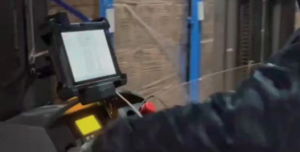
Barcode scanning suits deliberate item or location confirmation where the operator can see the label. UHF RFID may suit counting or checkpoint reads where multiple tagged items move together. Test tag placement, read-zone boundaries and nearby stock with real materials before relying on automated reads. A terminal used for forklift pick lists is a different installation from a fixed packing station with a scanner and label printer. Choose the computer, scanner and network together.

Plan for one missed connection
Walk the real route through racks, doors, docks and cold areas with the pilot device. If the app can queue offline events, test how it marks pending work and how the server prevents duplicate transactions when the connection returns. Check whether a reconnect leaves the operator at the right task. Compare inventory accuracy and first-pass scan success before and after the pilot, and track unmatched or duplicate transactions separately so the source of an error is visible.
Our warehouse management solutions and vehicle computers support the device side of these workflows. If you share your WMS client, scanner models, wireless coverage and forklift types, our team can review the deployment with you. For application images, drivers and recovery planning, see software integration.